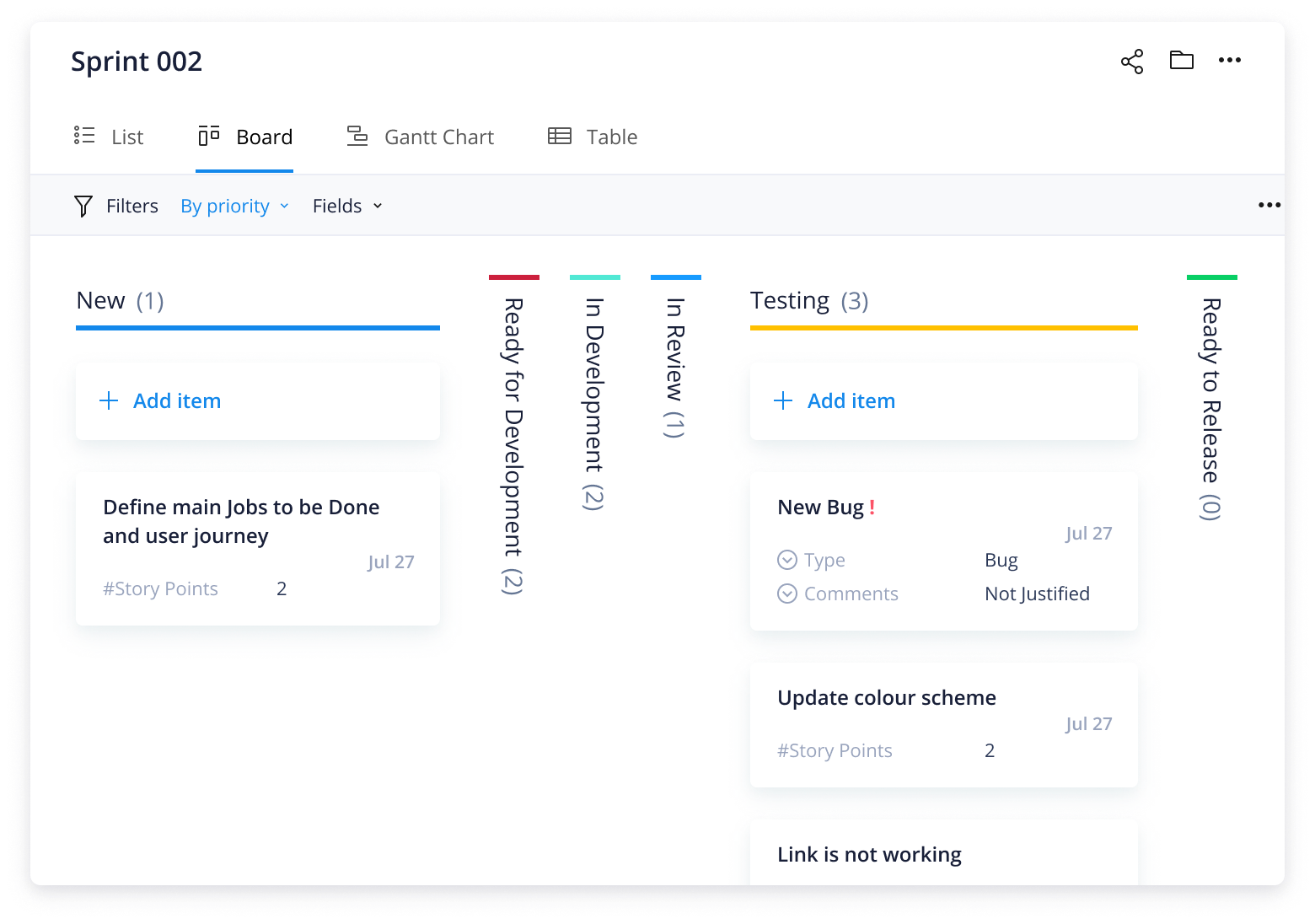
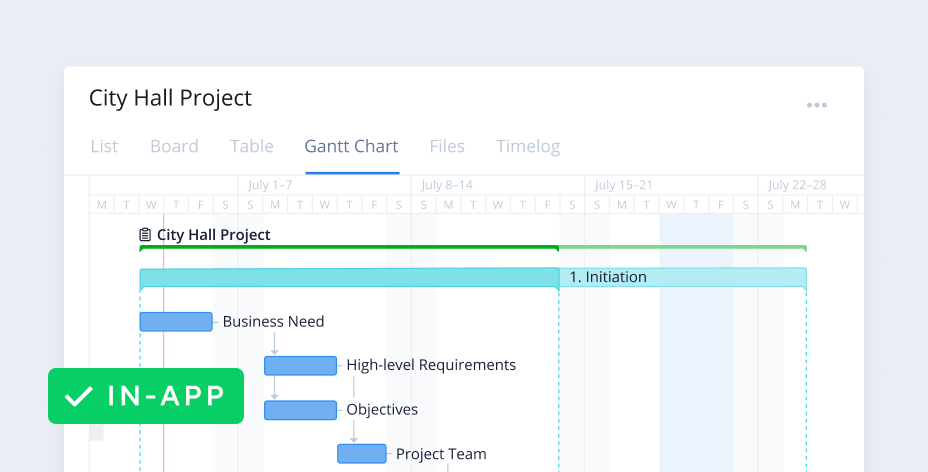
Unleash the power of the Agile project management methodology
Are your requests coming in faster than you can address them? The Agile project management methodology can help you create an effective structure to tackle incoming requests efficiently.
Does your team ever struggle with:
Structuring your workflow to suit the Agile methodology?
Tracking progress on backlog items such as user stories or bugs?
Making the most of your Agile sprints and daily standup meetings?
Eliminate these obstacles with Wrike.
Create an effective system that benefits all members, from Scrum master to product owner
Prioritize your backlog and analyze project progress using custom reports
Set up Agile sprints and manage daily standup meetings with ease
Why you need this template
Drive progress and efficiency
Wrike was built for collaboration across Agile teams. Organize your workflows into Wrike’s dashboard, and prioritize your backlog for impactful sprints.
Create visibility across teams
Use Wrike to instantly update team members and give sponsors or leadership visibility into projects. The activity stream provides a live feed of all project updates automatically, saving hours or even entire days.
Prioritize and plan with ease
Wrike’s dynamic work intake forms provide a clear way to prioritize and manage incoming requests. The backlog provides a location to track upcoming work, helping teams collaborate on projects.
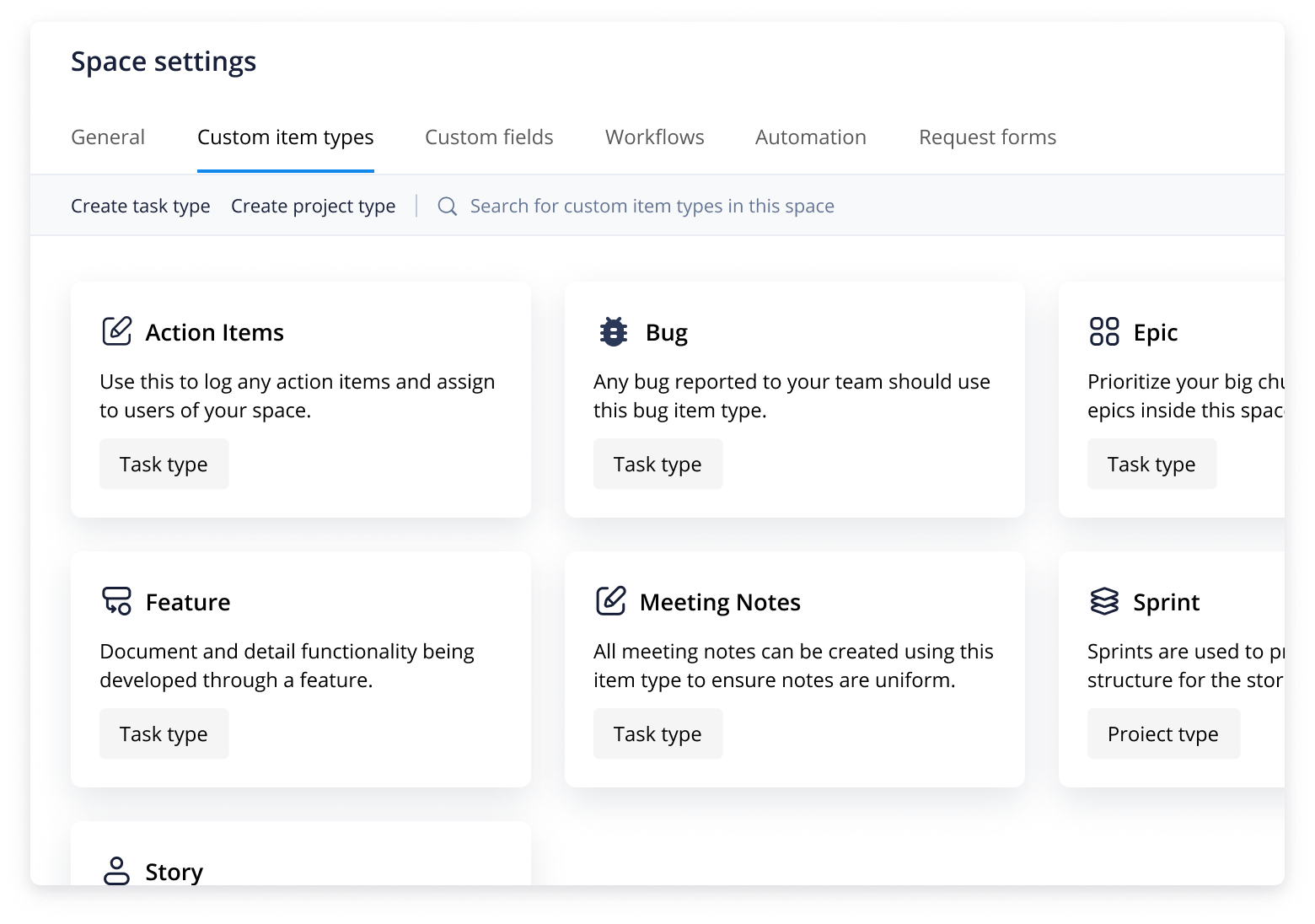
Wrike's Agile project plan template has multiple Custom Item Types to get you started, including Action Items, Bugs, Epics, Features, Meeting Notes, Sprints, and Stories.
Agile teams need a robust framework to support the Agile manifesto. Without a proper structure, your team’s sprints will be ineffective, and items in your backlog can be left unaddressed for too long.
This Agile workflow template will support teams working on Agile approaches, including Scrum masters and product owners. This template provides the perfect solution to simplify your Agile workflow and maximize every sprint.
Step 1: Set up your Agile space
Having a single space where your Agile team can collaborate is essential. Custom Item Types will help you create a customized space that suits the way your team works.
The Agile workflow template for teams comes with default Custom Item Types, such as:
Action Items, which can be used to log and assign tasks to users
Bugs, which help you handle bugs that are reported and logged to your space
Epics, which provide an excellent starting point for larger bodies of work
Features, which assist with logging functional components of your product
Step 2: Address your backlog
Leverage the pre-built request form to submit action items to the backlog. For instance, software developers can use the request form to help internal and external stakeholders submit bugs. User Stories, another Custom Item Type, allow you to log a detailed description of problems being addressed by the Agile team.
Step 3: Maximize your sprints
To maximize your sprint, make sure you capture critical information in the Meeting Notes Custom Item Type and use the custom dashboard to keep track of progress as your sprint moves through the Agile workflow.
Make Wrike work for you
Wondering how Wrike can simplify complex work and reduce chaos? Besides the Agile project plan template, Wrike’s versatile work management software has a range of customizable tools to help you take Agile projects to the next level. Our powerful features include:
You can tailor Wrike to work for any type of project, team, or methodology. Simply personalize your action plans and design your workspace to match your team’s processes.
Yes, the Agile teamwork template is free. No need to buy or download anything — plan your next sprint right away.
Wrike’s Agile teamwork template helps teams manage sprints, prioritize tasks in their backlog, and stay on top of project progress. Communication and visibility are improved, so teams can stay aligned throughout the project process.
Yes, you can use the Agile teamwork template to manage sprints. Sprint planning is made easier thanks to request forms, custom workflows, and dashboards that help monitor progress.
Anyone can use the Agile teamwork template. Teams focused on taking an iteration-based approach to their projects will especially benefit from the visibility and structure the template provides.
You might be interested in these templates
Agile teams
Kanban Project
Practice Kanban-style project management with Wrike. Visually manage your project with boards, limit the amount of work in progress, focus on the flow, and improve your process as you go.
Project management
Complex Project With Phases
An effective, phased approach to project management. This template breaks complex projects down into manageable phases, allowing you to assign due dates to tasks and track progress on a visual timeline.
Project management
Project Scheduling
A project template for classic, timeline-driven project management.
Split projects into actionable items, assign due dates, and track progress on a Gantt chart.
Agile teams
Kanban Project
Practice Kanban-style project management with Wrike. Visually manage your project with boards, limit the amount of work in progress, focus on the flow, and improve your process as you go.
Project management
Complex Project With Phases
An effective, phased approach to project management. This template breaks complex projects down into manageable phases, allowing you to assign due dates to tasks and track progress on a visual timeline.
How to install this template in your account
You can only access this template when you create a new space. You can access the use case templates gallery through the space creation wizard. When you opt to create a new space, the template gallery opens by default.
Click the “+” button in the upper-right corner of your workspace.
Select “Space.”
On the page that opens, hover over the use case you want and click “Preview.” Look for the “Team Agile Framework - Scrum” template in the list (use the search bar if needed).
Now, you can see more information about the use case. Click “Select” to create a space.
Yes, there are.
To use this template, you need to have at least the Business plan or up. Check our plans here.
You must have the required permission to create a public space in your account.
If the template contains account-level custom fields, custom item types, workflows, request forms, or automation, you must have the permission required to create those items.
This template is only available when the workspace language is set to English.
Check the prerequisites above. If you don’t match one of the prerequisites, talk to your space admin or your account owner. If you match all the prerequisites and you still can’t see the “Team Agile Framework - Scrum“ template, feel free to reach out to the Wrike support team.
Unlock the power of Wrike’s templates
Use our smart search tool to explore versatile templates, designed for easy customization and streamlined project management.
Wrike enhances its website search experience using Google's Vertex AI Search and Conversation generative AI service. Users are cautioned that generative AI might produce inappropriate, inaccurate, offensive, or unintended results, and are advised against submitting explicit, harmful, offensive, or illegal content as search input. Neither Wrike nor Google uses your search inputs to train its machine learning models or for advertising purposes, but search activities may be collected and/or stored via cookies in accordance with our Privacy Policy if you previously registered on our website. These cookies can be deleted through your browser settings. Wrike's search service is not designed to be used in connection with your personal data or any sensitive data of any kind, which users must refrain from inputting.