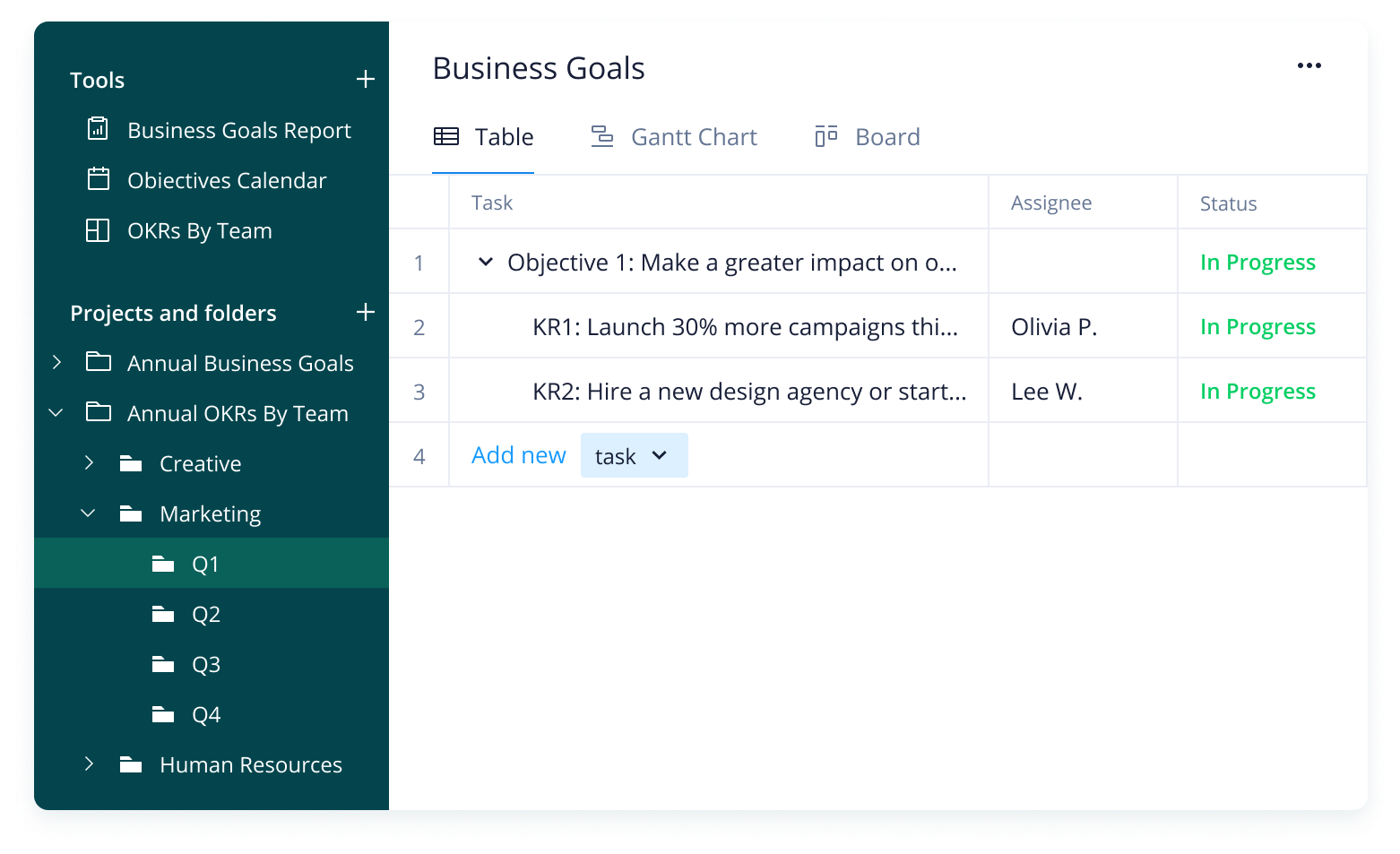
To run a successful business, you need to establish cohesive goals with defined targets. Whether you’re new to executive-level planning or just need to recharge your existing strategy, a ready-made template can take the pain out of the process.
You should consider using a business goal-setting template if:
Your teams struggle to understand the bigger picture
Your department heads find it difficult to break broad goals down into actionable tasks
You don’t know how to measure progress across multiple departments
With Wrike’s company goals template, you can:
Ensure every team member is aligned when it comes to overarching business objectives
Create individual tasks and assign responsibility for each goal
Track project milestones and view team progress at a glance
Why you need the business goals template
Clear objectives
Get your projects off to the best possible start by solidifying targets before you commence tasks. Use Wrike’s business goals and objectives template to refer to your original intentions and eliminate confusion across your teams.
Effective communication
Assign tasks to individuals to avoid ambiguity when it comes to responsibilities. Build a simple folder structure with a smart tagging system for maximum clarity. Share reports to communicate results instantly to stakeholders.
Cohesive collaboration
Wrike’s company goal-setting template enables you to tie individual OKRs to overall business goals. That way, team members fully understand what they’re working towards and can make better-informed decisions.
Wrike’s company goal-setting template simplifies every element of the OKR process, meaning you can spend less time on admin and more time on results.
Setting the template up is simple — all you need to do is follow these three steps.
Step 1: Personalize your goals
The business goals template includes two ready-made folders: “2022 Business Goals” and “2022 OKRs By Team.”
In the first one, you’ll find sample projects and tasks. The second one contains suggested folders for each department, including Human Resources, Marketing, and Operations. Tweak these folders to personalize them for your company.
Step 2: Track team progress
The “Business Goals” report pulls in information from the “2022 Business Goals” folder — that way, you can easily track the status of tasks, as well as assignees and due dates.
You can also monitor progress at a departmental level with the “2022 OKRs by Team” dashboard. Customize the widgets to match your organizational structure.
Step 3: Visualize your schedule
Wrike’s company goals template includes a pre-built calendar for tracking business objectives by week, month, and quarter. OKRs are categorized by department, and each one is color-coded.
Use this calendar to match individual goals to their relevant teams and ensure they align with the company vision.
Explore more with Wrike
Our business goal-setting template has everything you need to outline, track, and achieve company OKRs, but there are additional features that could be useful for your teams.
Browse Wrike’s software to discover other intuitive tools that can help your organization manage project timelines and boost productivity.
Wrike can be tailored to fit your company’s specific needs. Take a tour of our versatile platform to experience the true power of enterprise-level software.
Resources for your business
Blog post
Learn how Wrike’s software can help you organize team tasks, communicate company goals, and realize your overall vision.
eBook
This eBook is full of tips for your project management office, including three key areas to focus your efforts when creating business objectives.
Case study
Arvig’s number one goal with Wrike was to gain full visibility into team workflows — find out how they achieved that and more.
This template enables your business to clearly map out company goals and align them with OKRs for multiple teams and departments.
Wrike’s company goal-setting template includes a pre-built report, calendar, and dashboard, as well as suggested folders, projects, tasks, and subtasks.
This template is ideal for company leaders who want to consolidate their business goals and OKRs and ensure that teams are working towards the same vision.
How to install this template in your account
You can only access this template when you create a new space. You can access the use case templates gallery through the space creation wizard. When you opt to create a new space, the template gallery opens by default.
Click the “+” button in the upper-right corner of your workspace.
Select “Space.”
On the page that opens, hover over the use case you want and click “Preview.” Look for the “Business goals” template in the list (use the search bar if needed).
Now, you can see more information about the use case. Click “Select” to create a space.
Yes, there are.
To use this template, you need to have at least the Business plan or up. Check our plans here.
You must have the required permission to create a public space in your account.
If the template contains account-level custom fields, custom item types, workflows, request forms, or automation, you must have the permission required to create those items.
This template is only available when the workspace language is set to English.
Check the prerequisites above. If you don’t match one of the prerequisites, talk to your space admin or your account owner. If you match all the prerequisites and you still can’t see the “Business goals“ template, feel free to reach out to the Wrike support team.
Unlock the power of Wrike’s templates
Use our smart search tool to explore versatile templates, designed for easy customization and streamlined project management.
Wrike enhances its website search experience using Google's Vertex AI Search and Conversation generative AI service. Users are cautioned that generative AI might produce inappropriate, inaccurate, offensive, or unintended results, and are advised against submitting explicit, harmful, offensive, or illegal content as search input. Neither Wrike nor Google uses your search inputs to train its machine learning models or for advertising purposes, but search activities may be collected and/or stored via cookies in accordance with our Privacy Policy if you previously registered on our website. These cookies can be deleted through your browser settings. Wrike's search service is not designed to be used in connection with your personal data or any sensitive data of any kind, which users must refrain from inputting.