A growing business needs an effective way of managing client information. Our customizable contact list template helps you collect, store, and manage your customer contact list as you build your customer base, send invoices, and track payments.
Do these obstacles sound familiar?
There is no single location to store contact details for clients
Client contact information isn’t updated regularly
Team members can’t collaborate on client lists
Eliminate these issues with Wrike’s client contact list template.
Store and maintain customer information
Update client contact details easily and quickly
Collect accurate client information from various team members
Why you need this client list template
Inconsistent client details
Our customer contact list template allows team members to fill in a customizable request form to collect critical client information.
Limited customer base
Having an accurate client roster template helps develop and maintain your customer base. Use this template to see your client list grow alongside your business.
Missed or late payments
Wrike’s client book template can be used to track upcoming and delayed payments, as well as link in other business templates to streamline additional processes.
The client list template in Wrike helps you collect the contact information you need, organize your client database, and update it quickly when necessary.
Wrike’s client list template includes powerful features. You can:
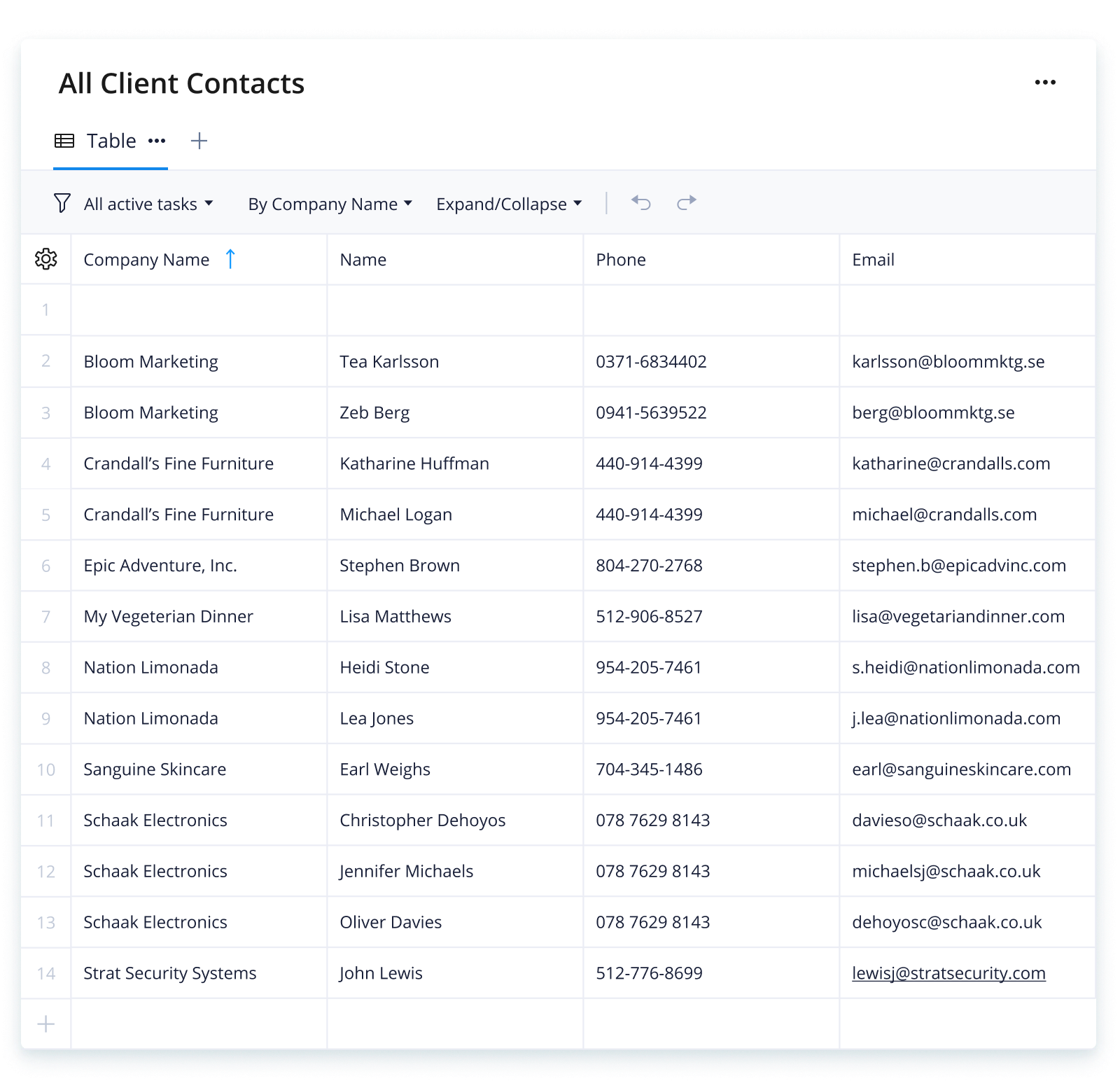
Wrike’s client list template is easy to use. The template has three simple steps to get you started:
Step 1: Customize your required fields
Each organization will have different client contact detail requirements. With our client list template, you will first determine the details you want to collect for each client, then add as many as you need.
Step 2: Create your request form
Ensure your organization collects information consistently with the customizable request form in our client list template. Create drop-down menu options or blank fields for simple client contact information entry.
Step 3: Create client contact reports
When you need to contact a client, use the All Contacts or Primary Contacts report, which pulls contact details for that company and gives you the details you need immediately.
Make Wrike work for you
Want to know how else Wrike can help? Wrike’s powerful project management software can streamline your processes, improve progress, and unify your team in a single platform. Our powerful features include:
Wrike is designed to help you work in a way that suits your team. Each feature is highly customizable to meet the needs of any project, team, or organization.
Resources for professional services teams
Guide
Discover how you can make your professional services business more efficient, productive, and profitable
ebook
Wondering how leading companies utilize automation to get ahead? Learn more with our eBook
case study
Find out how Umpqua Bank used Wrike to consolidate communication and enhance vendor visibility
The client list template is used to collect, store, manage, and update client contact information in an easy-to-use, streamlined way.
The client list template helps organizations collect the client information they need and keeps it in a single location that all team members can access.
Any organizations that need to store and use client contact information can benefit from the client list template in Wrike.
How to install this template in your account
You can only access this template when you create a new space. You can access the use case templates gallery through the space creation wizard. When you opt to create a new space, the template gallery opens by default.
Click the “+” button in the upper-right corner of your workspace.
Select “Space.”
On the page that opens, hover over the use case you want and click “Preview.” Look for the “Client contact list” template in the list (use the search bar if needed).
Now, you can see more information about the use case. Click “Select” to create a space.
Yes, there are.
To use this template, you need to have at least the Business plan or up. Check our plans here.
You must have the required permission to create a public space in your account.
If the template contains account-level custom fields, custom item types, workflows, request forms, or automation, you must have the permission required to create those items.
Check the prerequisites above. If you don’t match one of the prerequisites, talk to your space admin or your account owner. If you match all the prerequisites and you still can’t see the “Client contact list“ template, feel free to reach out to the Wrike support team.
Unlock the power of Wrike’s templates
Use our smart search tool to explore versatile templates, designed for easy customization and streamlined project management.
Wrike enhances its website search experience using Google's Vertex AI Search and Conversation generative AI service. Users are cautioned that generative AI might produce inappropriate, inaccurate, offensive, or unintended results, and are advised against submitting explicit, harmful, offensive, or illegal content as search input. Neither Wrike nor Google uses your search inputs to train its machine learning models or for advertising purposes, but search activities may be collected and/or stored via cookies in accordance with our Privacy Policy if you previously registered on our website. These cookies can be deleted through your browser settings. Wrike's search service is not designed to be used in connection with your personal data or any sensitive data of any kind, which users must refrain from inputting.